The trip you planned, in your pocket.
Plan a trip with AI on your iPhone, then take it with you. On a travel day the app opens to Trip Mode — where you are, what's next and when to leave — from a copy saved on your phone, so it works with no signal.

On a computer?Scan with your iPhone camera.
- Free
- iPhone
- Same account as the website
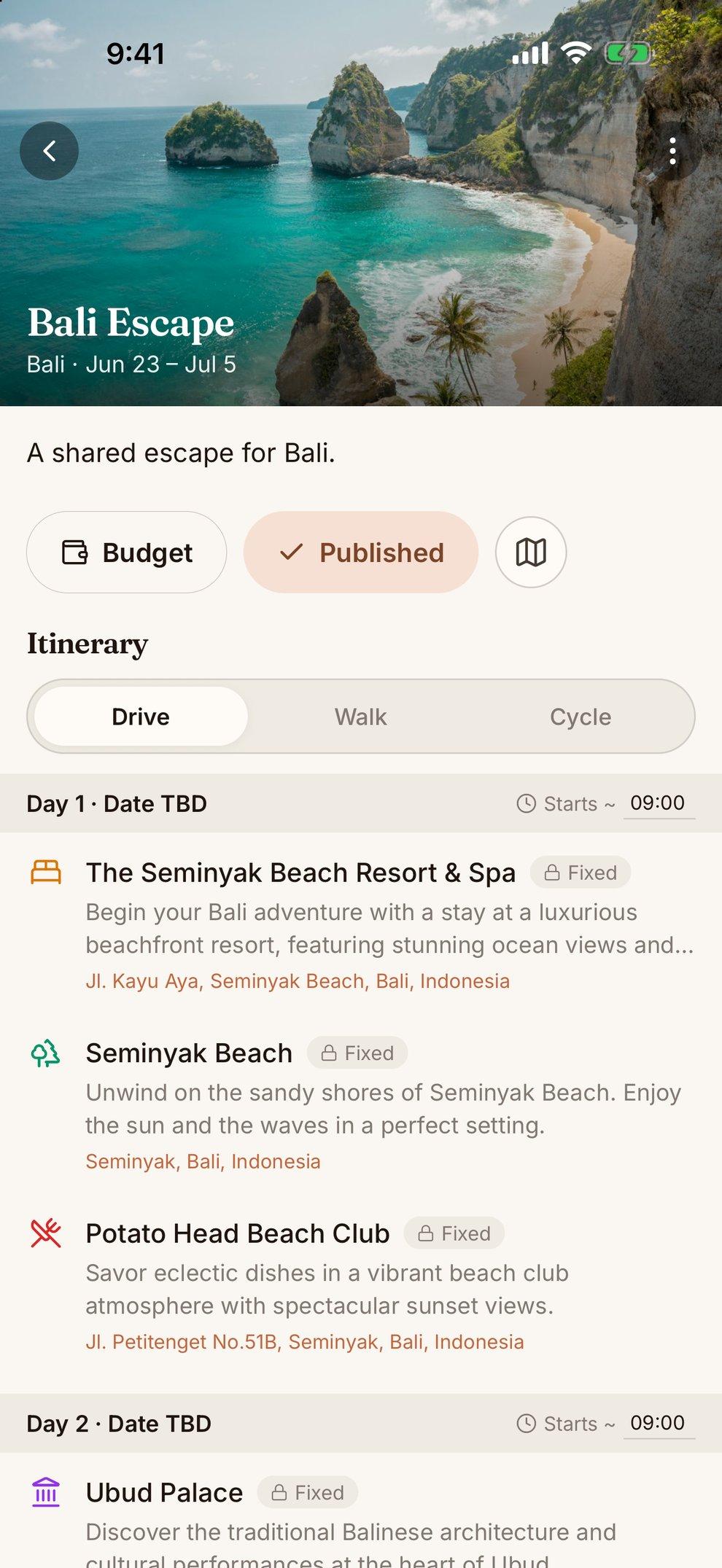
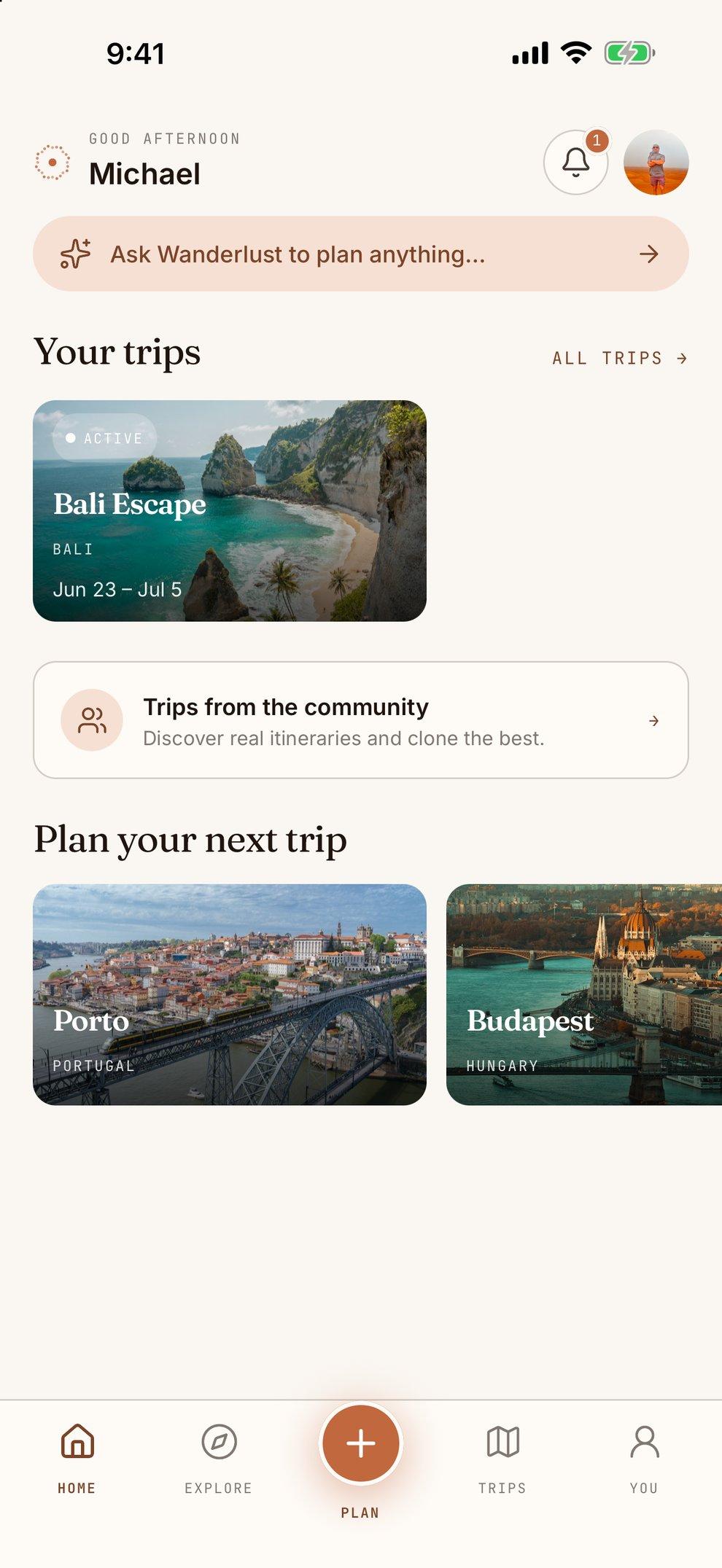
Ask for a trip. Get a day-by-day plan.
Everything you need to decide where to go and what to do there, in the app — with the same AI planner and city data as the website.
- A day-by-day draft in a minute. Tap Plan, say where, when and what you're into, and the AI drafts an itinerary of real places. Or start from an empty plan and build it yourself.
- Ask Wanderlust anything. The AI assistant answers travel questions and plans with you, from best months to visit to what to do on a rainy afternoon.
- City guides for 1,300+ cities. Cost, safety and internet speed, top sights and neighbourhoods — and, where a guide has a sample itinerary, one tap copies it into a trip of your own.
- Copy a trip you like. Browse real itineraries from other travelers and clone the best into a plan of your own.
Today's plan, and when to leave for it.
On a travel day, Wanderlust opens straight into Trip Mode. It loads from the trip saved on your phone, so it's there in a subway tunnel or on the second-to-last island.
- Now, next and when to leave. Your current stop, your next one and a countdown to when you need to go — in the destination's time zone.
- Saved on your phone. Trips that are coming up or underway are kept on the device — each day's stops and times, addresses, flights and hotels — so they open in airplane mode.
- Flights and weather, when you have signal. Today's flights with their status, delays, gate and terminal where the airline shares them, and the day's weather at the top.
- One-tap directions. Hand any stop to your phone's maps app.
- Reminders and a widget. Notifications a week, three days and a day before you go, and on hotel check-in day. The Up Next widget puts your next stop on your home and lock screen.
Plan on the big screen. Carry it on the small one.
The app signs in to the same Wanderlust account as the website, so the trip you built on your laptop is on your phone when you land, and what you change on the road is there when you get home.
- Edit it on the road. Move stops between days, compare drive, walk and cycle times, and let Optimize Day put a day's stops in a shorter order.
- Budget and map. See every stop on the map and keep the trip's budget beside the plan.
- Plan it together. Open a trip invite on your iPhone and you join the trip in the app, with everyone working on the same plan.
- Your passport, too. Stamp the countries you've been to. The web and the app show the same stamps.
Trip Mode is free. Pro is there when you want more.
One membership on the web and in the app. Upgrade in the app with your Apple account, or on the website.
Everything to plan and go
- Offline Trip Mode in the iOS app
- 3 AI-built itineraries every 30 days
- Generous AI chat — an assistant that plans with you, adds stops to your trip and surfaces what to book
- Invite travel companions to plan with you — one active trip at a time
- Track the countries you've visited
- City guides for 1,300+ cities
For the trips that need more
- Unlimited AI-built itineraries
- Real-time collaboration on every trip — invite travel companions to as many trips as you like
- Flight alerts on the day you fly — an email and an iPhone notification, for you and everyone on the trip, when a flight is delayed 30+ minutes, cancelled or changes gate
- Every insider tip on every city guide — practical tips on its sights and neighbourhoods
About the iPhone app
Is the Wanderlust app free?
Yes. It's free to download, and planning, offline Trip Mode, reminders, the Up Next widget and your passport all work on a free account. Pro adds unlimited AI-built itineraries, invites on every trip and flight alerts, and you can upgrade inside the app.
Does the app work without signal?
Your trip does. Trips that are coming up or underway are saved on your phone — each day's stops and times, addresses, flights and hotels — so they open in airplane mode or a dead zone. Flight status and weather need a connection, and directions open in your maps app.
Do my trips sync with the website?
Yes. Sign in to the app with the account you use on wanderlustapp.io and your trips and passport are there. A trip you build on your laptop is on your phone when you land, and changes you make on the road show up on the web.
Can I buy Pro in the app?
Yes. In the app, Pro is an App Store subscription billed by Apple, and it unlocks Pro on the website too. You manage or cancel it in your Apple account's Subscriptions settings.
Is there an Android app?
Not in the Play Store yet — the Android app is in beta. In the meantime, the Wanderlust website works in any phone browser.
How do I get the app?
On your iPhone, tap Download on the App Store on this page, or search for Wanderlust on the App Store. On a computer, scan the QR code with your iPhone's camera.
Take your next trip with you.
Free on the App Store. Sign in with your Wanderlust account and your trips are already there.
Scan to download