
Somewhere worth going, full screen
Every new tab opens on a destination photo with the city and country, the photographer's credit, and how far it is from you — distance and rough flight time.
Swap the blank new tab for a full-screen photo of somewhere worth going — where it is, how far it is from you, and an AI you can ask about it. When a place sticks, plan the trip in Wanderlust.
Download for your browser
Free · no sign-in to start · can't read the sites you visit
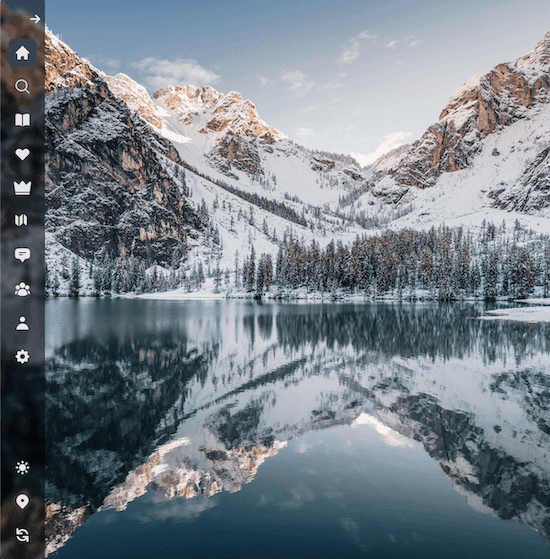
You open dozens of tabs a day. Each one can show you somewhere new — and give you a reason to go.
Every new tab opens on a destination photo with the city and country, the photographer's credit, and how far it is from you — distance and rough flight time.
Curious? Open the chat and ask the AI about the place on screen — when to go, what to see, how long to stay.
Around Me picks a handful of standouts near you — date night, great coffee, hikes, hidden gems — each one linked to Maps. No sign-in needed.
No account needed to start, no ads, and nothing to configure.
With Pro, Publisher or the video add-on.
Install it once. Every tab after that starts somewhere new.
Chrome, Firefox or Edge. It replaces your new tab page and nothing else.
A destination is there straight away. Refresh for another, or open the chat to ask about it.
Set your home city so distances start from you. On Pro, Publisher or the video add-on, the extras switch on by themselves.
It asks for none, so it can't read, clip or track the sites you visit.
Around Me and distances use the home city you set, or a rough guess from your connection.
Just the photo, the place and its photographer's credit.
Wanderlust has helped over 2,500 explorers plan, track and dream about their travels. Join them, and turn every new tab into inspiration for the next trip.
It replaces your browser's new tab page with a full-screen photo of a destination, where it is and how far it is from you. From there you can load another, ask the AI about the place, or open Around Me for standout spots nearby.
Chrome, Firefox and Edge.
No. It asks for no browsing permissions, so it can't read, clip or save the sites you visit — it only replaces the new tab page. To save a place, paste its link into your Wanderlust bucketlist.
Yes, as one of the extension extras. The passport globe — the same stamps as your Wanderlust account — comes with Pro, Publisher or the video add-on, along with region filters and video backgrounds. Tracking countries on the Wanderlust website is free.
Yes. Destination photos, the AI chat and Around Me are free, and you don't need an account to start. The extras — video backgrounds, region filters and the passport — come with Pro, Publisher or the video add-on.
Click the button for your browser at the top of this page, add it from the store, and open a new tab.
Can't find the answer you're looking for? Write to help@wanderlustapp.io.
Free on Chrome, Firefox and Edge. Install it, open a tab, and see where it takes you.